
Owlnest Lume Manual
Using Lume
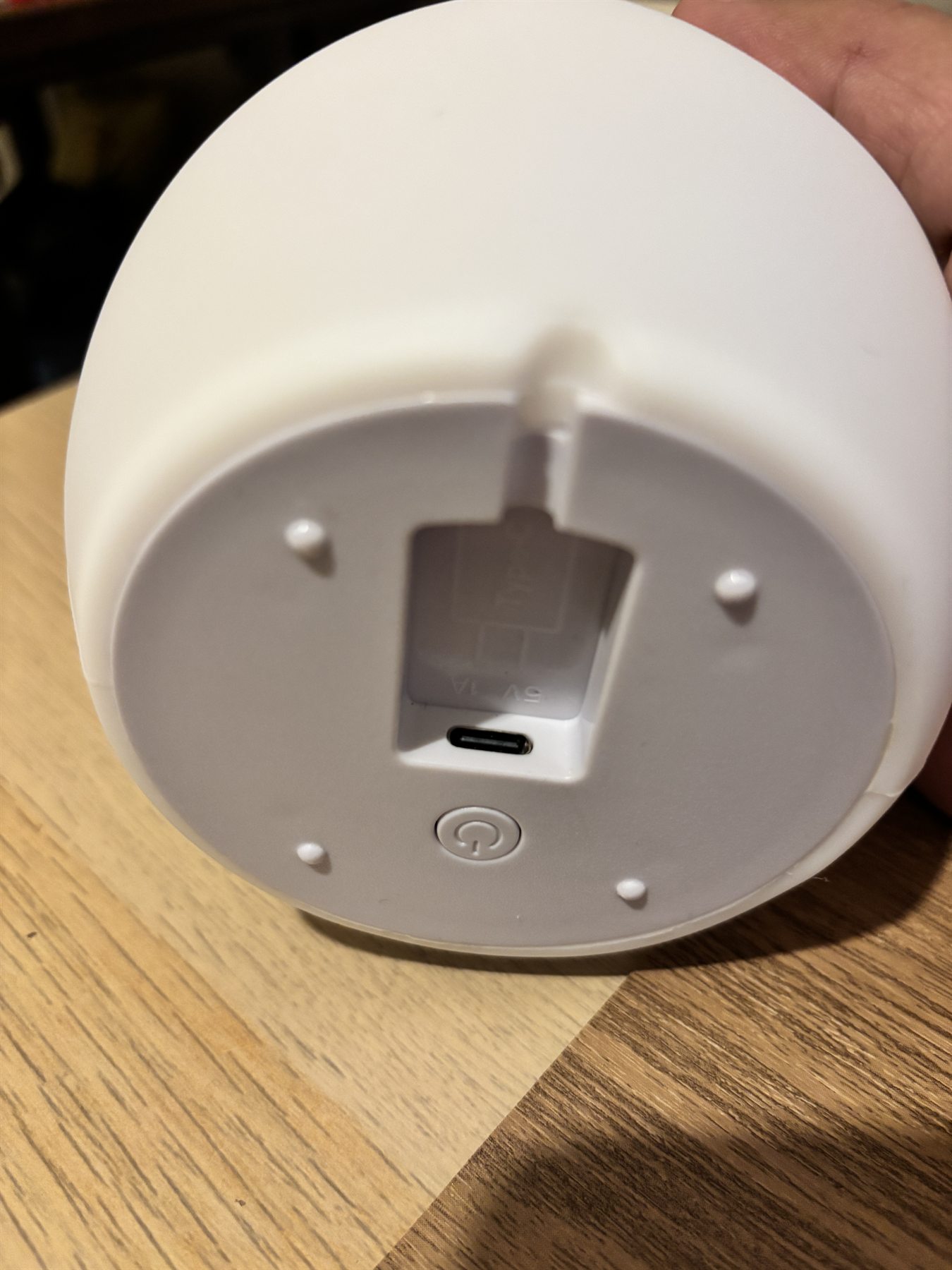
Power
One button.
One button.
On the bottom.
Use the physical button to turn Lume on or off. There is no touch control, knob, app, or screen.
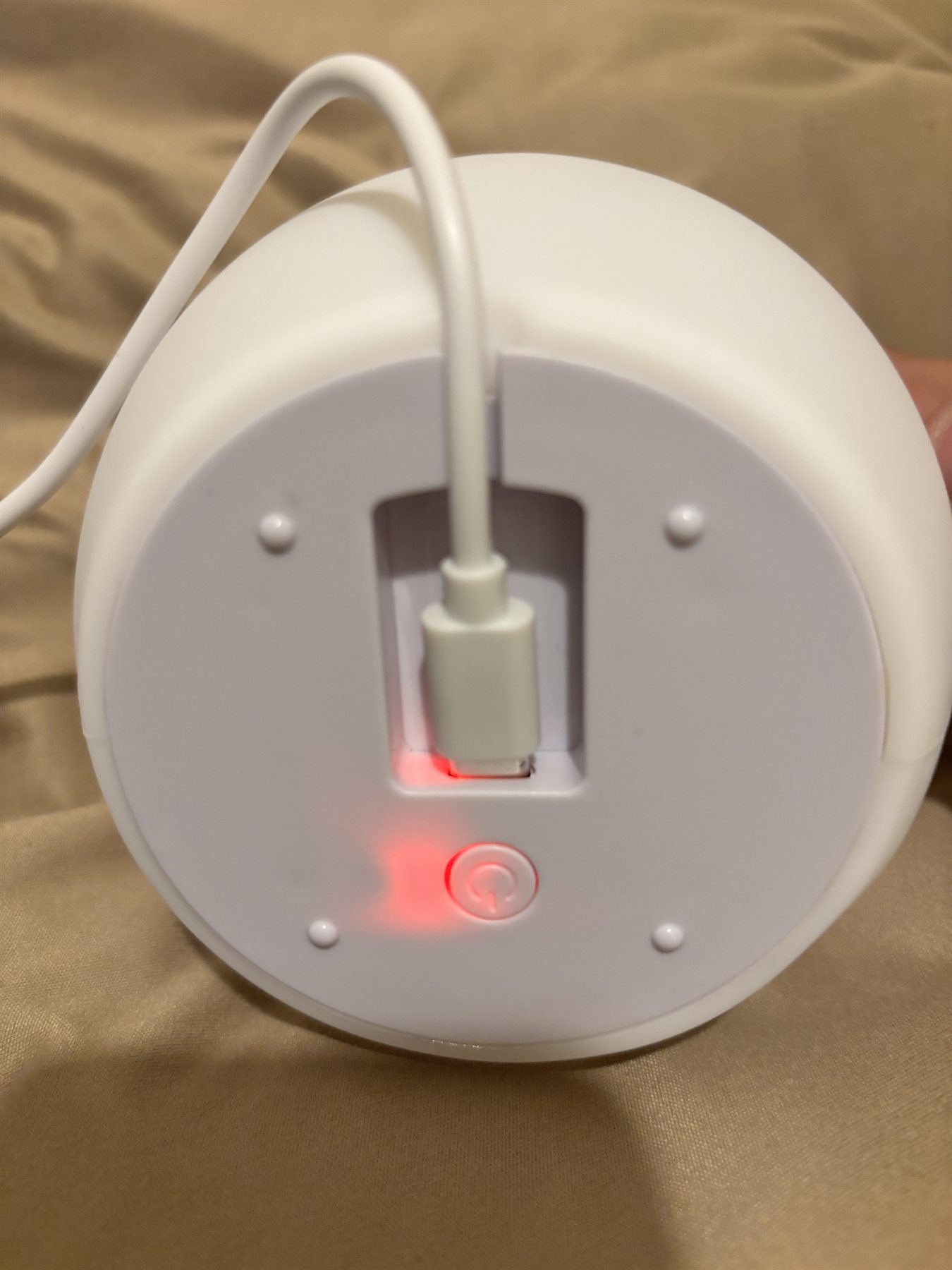
Charging
USB-C charging.
Charge Lume through its USB-C port. Keep the port and cable dry.
After dark
Use Lume when you need light at night.
Use Lume beside the bed, for brief reading, or while winding down. At bedtime, switch it off unless a small amount of light is still needed.
Place
Upright on a stable, dry surface.
Care
Clean with a soft, dry cloth.
Limit
Not a bright task light or a medical device.